
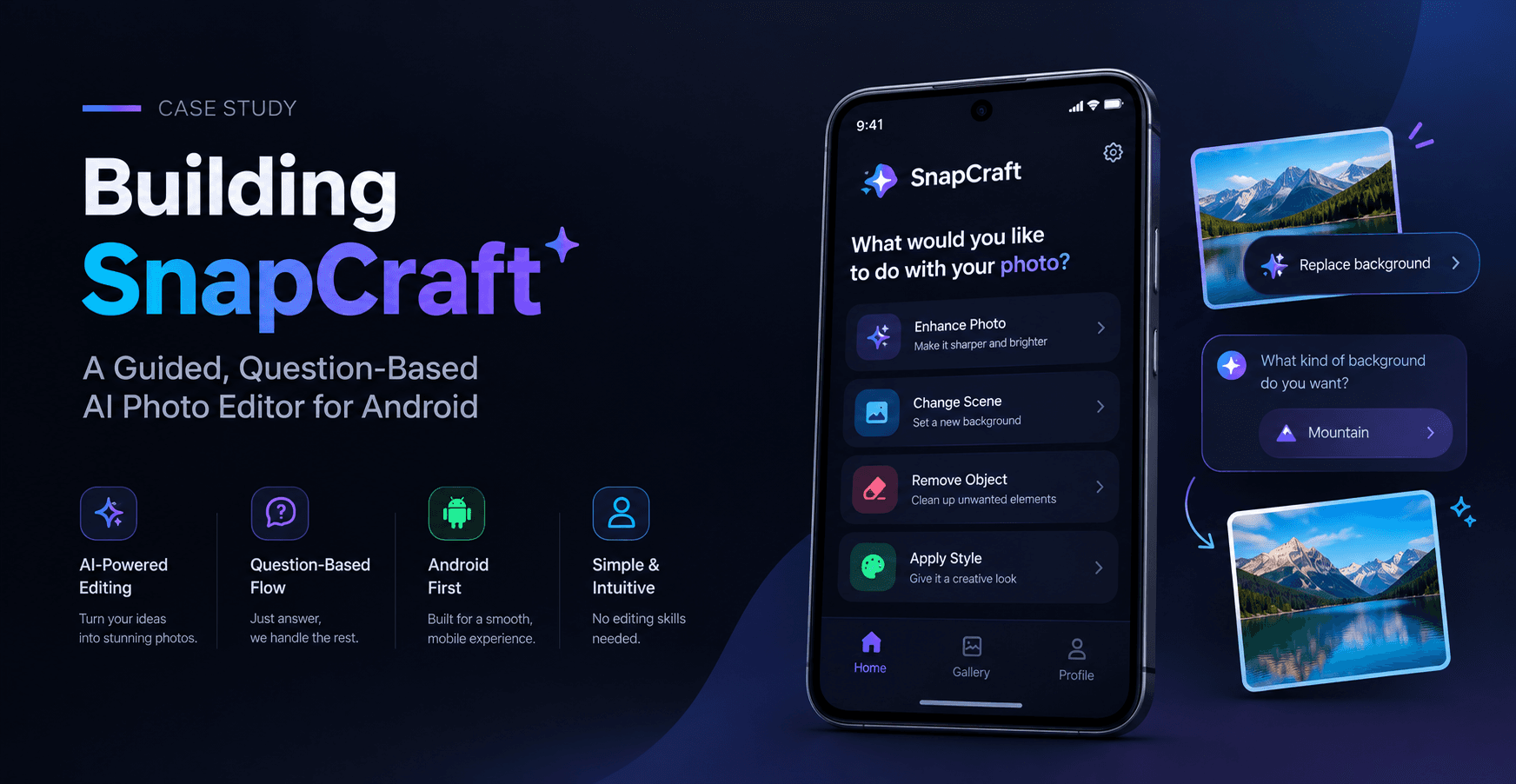
Executive Summary
A confidential client in the consumer creative technology space partnered with Meritorious CodeCrafters to build SnapCraft, a full-stack Android application that reimagines AI photo editing without prompt writing. Instead of typing a text prompt into an AI image tool, users upload a photo and answer a short set of multiple-choice questions about background, lighting, style, and mood. SnapCraft's backend analyzes the photo, generates guided questions from what it sees, builds a final prompt from the user's answers, and produces an edited version of the photo through an AI image model. Meritorious CodeCrafters delivered a React Native Android app paired with an async FastAPI and PostgreSQL backend, deployed and working end to end on Render, with a working signed release APK already built.
Client Overview
Confidential Client - Consumer Creative / AI Photo Editing Technology
The client is building consumer-facing AI creative tools aimed at making sophisticated photo editing accessible to people who don't want to learn prompt engineering. The target audience is everyday phone users who want a polished, AI-edited photo without needing to know how to describe the result in words. Due to a confidentiality agreement, the client's name and specific brand identity are withheld in this case study.
Business Challenge
Most AI photo and image editing tools rely on the user writing a text prompt - a skill that takes practice to do well, and one that creates real friction for casual users. The client identified specific gaps this created:
- Prompt writing is a barrier for non-technical or casual users who just want a better photo, not a new skill
- Vague or poorly written prompts produce inconsistent, disappointing AI edit results
- Traditional account systems (passwords, login sessions) add unnecessary friction for a lightweight creative tool
- Long-running AI generation tasks need to feel responsive rather than making users wait on a blocked screen
- Storing and managing photo files at scale typically requires a persistent file storage layer, adding infrastructure complexity
The client needed a mobile app that replaced prompt writing with a simple, guided question flow, backed by an AI pipeline that could translate structured answers into an effective final prompt - while keeping the underlying infrastructure lightweight enough to deploy without a dedicated file storage service.
Project Objectives
- Build a React Native Android app for guided, question-based photo editing
- Replace text prompt writing with a short set of multiple-choice questions generated from the photo itself
- Integrate a vision AI model to analyze uploaded photos and generate relevant guided questions
- Integrate an image generation AI model to produce an edited photo from a synthesized final prompt
- Support lightweight, username-only accounts with no password management
- Maintain a full, numbered edit history per chat, with the ability to reopen or continue editing any prior result
- Deliver local, on-device notifications when a generation finishes or fails, without a cloud push service
- Deploy a working backend and database without requiring persistent file storage
- Ship a signed, installable Android release build
Solution
Meritorious CodeCrafters designed and built SnapCraft as a full-stack Android application, pairing a React Native frontend with an asynchronous FastAPI and PostgreSQL backend, and deployed the system end-to-end on Render.
Lightweight, Username-Only Accounts
On launch, the app checks for a saved username in local storage. If one exists, the user goes straight to their chat list; if not, they simply choose a username to get started. There are no passwords and no login sessions to manage, keeping onboarding effectively instant while still giving each user a persistent identity tied to their chats and edit history.
Chats, Photo Upload, and Analysis
Every edit lives inside a chat. A user creates a chat, then captures a photo or selects one from the gallery, which the app sends to the backend as multipart form data. The backend saves the photo immediately and responds right away, rather than making the user wait for analysis to complete. A background task then sends the photo to a vision AI model, which writes a short description and generates a set of guided questions based on what it actually sees in the image, and the app polls until this step finishes.
Guided Question Flow
Instead of writing a prompt, the user answers each generated question with a simple tap, with the option to add a short free-text note for anything the multiple-choice options don't capture. Once enough questions are answered, the user moves on to generate the edit - removing the blank-page problem of prompt writing entirely.
AI-Powered Generation
The backend synthesizes the photo's description and the user's guided answers into a single, coherent final prompt, then sends it to an image generation AI model. As with analysis, the backend responds immediately and completes the generation as a background task, keeping the app responsive rather than blocking on a potentially slow AI call.
Results, Notifications, and Iteration
Once generation finishes, the app displays the edited photo alongside the exact prompt that produced it, giving users transparency into how their answers shaped the result. A local, on-device notification (via Notifee) alerts the user when their edit is ready - or if it failed - even if the app is running in the background, without relying on any cloud push infrastructure. From the result screen, users can continue editing the same photo again or start a fresh upload, with every edit saved as a numbered iteration inside its chat.
Supporting Features
SnapCraft also includes save-to-gallery functionality for any uploaded or generated photo, on-device chat archiving to keep the main chat list manageable, and automatic chat naming derived from the photo's own AI-generated description - avoiding an unnecessary extra AI call just to title a conversation.
Database-Backed Photo Storage
Rather than storing photo files on disk, SnapCraft stores every photo - both originals and AI-generated results - as base64 text directly inside PostgreSQL. This lets the backend run on Render without needing a persistent file storage service, simplifying deployment and infrastructure while keeping every photo tied directly to its chat and iteration record.
Technology / Expertise
Frontend (Mobile App):
- Framework: React Native 0.87, built for Android without Expo
- Language: TypeScript, React 19, functional components and hooks
- Navigation: React Navigation (native stack)
- Local Storage: AsyncStorage for username, settings, and archived chats
- Camera/Media: react-native-image-picker for camera capture and gallery selection
- Save to Gallery: react-native-camera-roll
- Notifications: Notifee for local, on-device notifications (no cloud push service)
- File Handling: react-native-fs for temporary photo file reads/writes
- Layout: StyleSheet with Safe Area Context for notch- and nav-bar-safe layout
- Build: Gradle and React Native CLI, producing signed Android release builds
Backend (API Server):
- Language: Python 3.10, async-first
- Web Framework: FastAPI with automatic API docs and request validation
- Server: Uvicorn (ASGI)
- Database: PostgreSQL via asyncpg, using raw SQL queries with no ORM
- Photo Storage: Base64-encoded photos stored directly in PostgreSQL, no files saved to disk
- Vision and Text AI: Grok, via kie.ai, for photo description, guided question generation, and final prompt synthesis
- Image Generation AI: grok-imagine-image-2.0, via kie.ai, for producing the edited photo
- Image Processing: Pillow, with HEIC and AVIF support, converting phone photo formats to PNG or JPEG
- Deployment: Render, hosting both the backend service and PostgreSQL database
Core Data Model: A User has many Chats; a Chat has many Iterations (one per edit). Each iteration stores the original photo (base64 and file type), the AI-written description, the guided questions and answers, optional user notes, the final synthesized prompt, the result photo (base64 and file type), a status (analyzing, ready, generating, completed, or failed), and an error reason if the attempt failed.
Implementation Process
01. Discovery and Architecture
Meritorious CodeCrafters worked with the client to define the core product mechanic: replace prompt writing with a guided, question-based flow, and architected the system around asynchronous background processing so long-running AI calls wouldn't block the user experience
02. Backend Data Model and Lightweight Auth
The team designed the raw-SQL PostgreSQL data model covering users, chats, and iterations, and implemented the username-only account system, deliberately avoiding password management overhead for a lightweight creative tool.
03. Vision Analysis and Question Generation
The team integrated a vision AI model (Grok, via kie.ai) to analyze uploaded photos, generate descriptions, and produce relevant guided questions, with background task processing so the backend could respond immediately while analysis was completed asynchronously.
04. Prompt Synthesis and Image Generation
The team built the logic to synthesize a photo's description and the user's guided answers into a single final prompt, then integrated the grok-imagine-image-2.0 model to generate the edited photo, again using background processing to keep the API responsive.
05. Database-Backed Photo Storage
Rather than introducing a separate file storage service, the team implemented base64-based photo storage directly in PostgreSQL, including Pillow-based image processing to normalize varied phone photo formats (including HEIC and AVIF) into PNG or JPEG.
06. Mobile App Frontend
In parallel, the React Native Android app was built, covering the username flow, chat list, camera/gallery capture, the guided question interface, the result screen, local notifications, save-to-gallery, and on-device chat archiving.
07. Deployment and Release Build
The backend and PostgreSQL database were deployed together on Render, and the Android app was built and signed as a release APK pointing to the deployed backend.
08. Testing and Refinement
The full flow - upload, analysis, guided questions, generation, and result display - was tested end-to-end, along with notification delivery and error handling for failed generations.
(Note: Implementation phases are described based on the platform's architecture and the order of components described in your brief, not a client-confirmed timeline.)
Key Features / Deliverables
- Guided, question-based photo editing flow with no prompt writing required
- AI photo analysis that generates a description and relevant guided questions per photo
- AI image generation producing an edited photo from a synthesized final prompt
- Full, numbered edit history per chat, reopenable and continuable
- Local, on-device notifications for generation completion or failure (no cloud push)
- Save-to-gallery support for uploaded and generated photos
- On-device chat archiving to keep the main chat list manageable
- Lightweight, username-only accounts with no password management
- Automatic chat naming derived from the AI-generated photo description
- Database-backed photo storage (base64 in PostgreSQL) requiring no persistent file store
- Deployed, working backend and database on Render
- Signed Android release APK (~25 MB) pointed at the live backend
Challenges & Solutions
Building a fully guided, question-based AI editing flow with a lightweight infrastructure footprint introduced several technical challenges the Meritorious CodeCrafters team had to design around:
Turning multiple-choice answers into an effective AI prompt.
The core product bet is that guided answers can replace a written prompt. The team built a synthesis step that combines the vision AI's photo description with the user's structured answers and optional notes into one coherent final prompt, so image generation quality doesn't depend on the user's own prompt-writing ability.
Keeping the app responsive during slow AI operations.
Both photo analysis and image generation can take real time to complete. The team designed both endpoints to respond immediately and complete the AI work as background tasks, with the app polling for status rather than blocking the interface while the AI model runs.
Storing photos without a persistent file storage service.
Running the backend on Render without a dedicated file store required a different approach to photo storage. The team stored photos as base64 text directly in PostgreSQL, keeping every image tied to its chat and iteration record without introducing separate file infrastructure to manage.
Normalizing inconsistent phone photo formats.
Photos captured on modern phones can arrive in formats like HEIC or AVIF that aren't universally supported by AI image models. The team used Pillow to convert uploaded photos into standard PNG or JPEG formats before sending them onward for analysis or generation.
Delivering reliable notifications without cloud infrastructure.
Users needed to know when a background generation finished, even if they'd left the app. The team used Notifee to implement local, on-device notifications, avoiding the added complexity and cost of a cloud push notification service for what is fundamentally a single-device experience.
Results
Meritorious CodeCrafters delivered a fully working, deployed application, matching the "deployed and working" status described in the project brief. The delivered platform gives the client's users:
- A complete, working guided photo editing flow from upload to finished AI edit, without prompt writing
- A live, deployed backend and PostgreSQL database running on Render
- A signed Android release APK, approximately 25 MB, already built and pointed at the live backend
- Reliable background processing for both photo analysis and image generation, keeping the app responsive
- A lightweight infrastructure footprint, since photo storage lives in the database rather than requiring a separate file storage service
Business Impact
By replacing prompt writing with a guided question flow, SnapCraft removes the single biggest barrier to casual AI photo editing adoption: not knowing what to type. This positions the product for a broader, less technical audience than typical prompt-based AI image tools. The username-only account model reduces onboarding friction to almost nothing, while the database-backed photo storage and Render deployment keep the infrastructure simple and cost-efficient to operate without a dedicated file storage layer. Background processing for both analysis and generation keeps the app feeling responsive despite relying on external AI models that can take real time to return results - an important factor in retaining casual users who might otherwise abandon a slow-feeling app.
Why Meritorious CodeCrafters
Meritorious CodeCrafters brought together mobile engineering and applied AI integration to deliver a product where the entire value proposition depends on a well-designed guided experience replacing a harder, more technical one. Synthesizing structured, multiple-choice answers into an effective AI image prompt - while keeping the app responsive through asynchronous background processing - reflects the AI-first, full-cycle product development approach Meritorious CodeCrafters applies across its mobile app development and AI development work.
Final Outcome
SnapCraft demonstrates how a genuinely different interaction model - guided questions instead of prompt writing - can make AI photo editing accessible to a much broader audience. Meritorious CodeCrafters delivered a fully deployed, working application, complete with a signed Android release build, a live backend on Render, and a lightweight, file-storage-free architecture, giving the client a strong, ready-to-launch foundation for their AI photo editing product.
Looking to build an AI-powered creative tool that removes friction for everyday users? Contact Meritorious CodeCrafters to discuss your mobile app development or AI development project.
FAQs
What does SnapCraft do?
SnapCraft lets users upload a photo and answer a short set of guided, multiple-choice questions about background, lighting, style, and mood. The app uses those answers to build an AI prompt and generate an edited version of the photo - no prompt writing required.
Do users need an account with a password to use SnapCraft?
No. SnapCraft uses lightweight, username-only accounts. There's no password to create or manage - the app remembers the chosen username locally on the device.
How does SnapCraft generate its guided questions?
When a photo is uploaded, a vision AI model analyzes it and writes a short description along with a relevant set of guided questions based on what it sees in the image.
How does SnapCraft turn answers into an AI-edited photo?
The backend combines the photo's AI-written description with the user's guided answers and any optional notes into a single final prompt, which is sent to an image generation AI model to produce the edited result.
Does SnapCraft notify users when an edit is ready?
Yes. SnapCraft uses local, on-device notifications to let users know when a generation finishes or fails, even if the app is running in the background - without relying on a cloud push notification service.
How are photos stored in SnapCraft?
Photos - both originals and AI-generated results - are stored as base64 text directly in the PostgreSQL database rather than as files on disk, keeping the backend deployable without a separate persistent file storage service.