
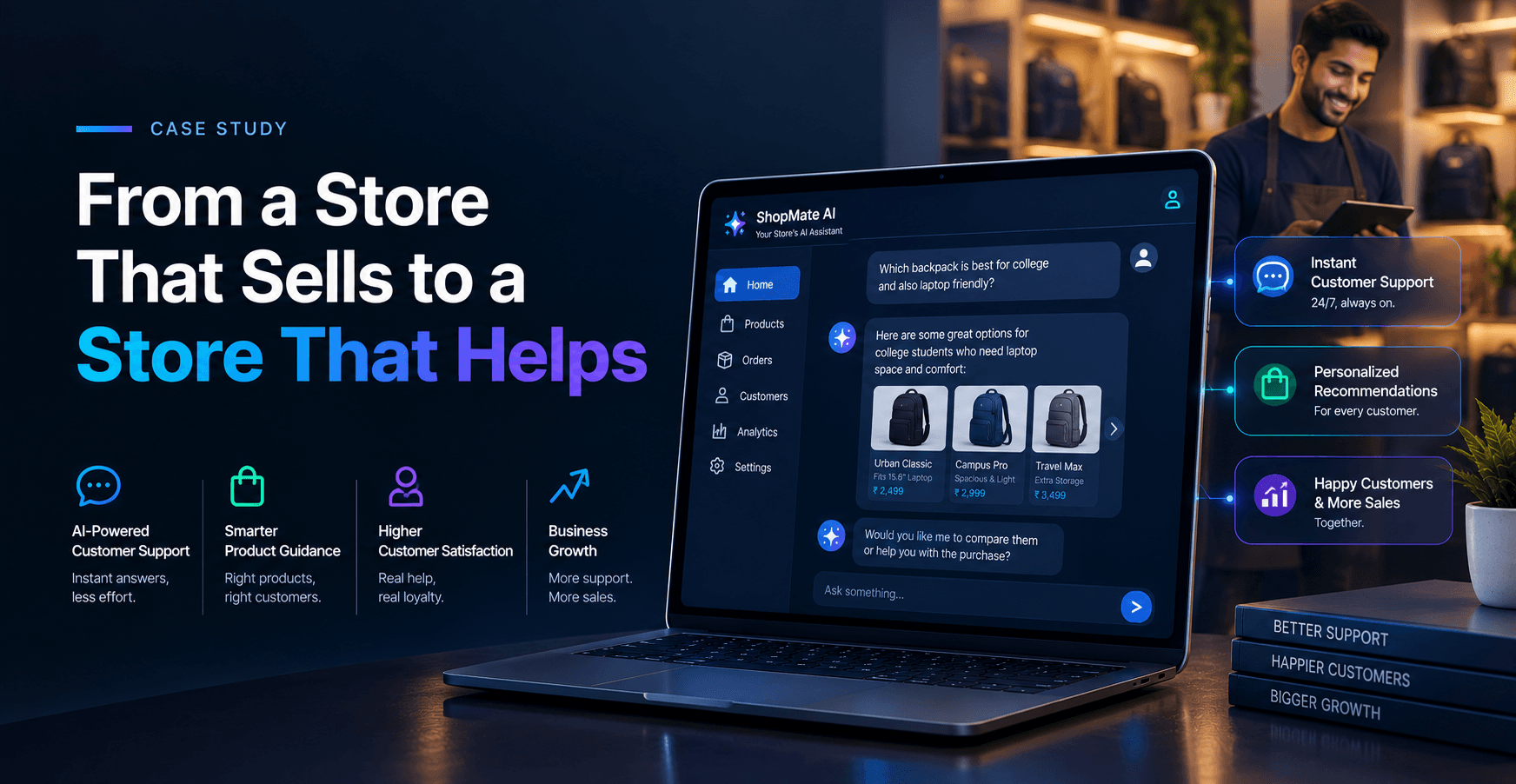
Executive Summary
An online home-goods retailer had good products and steady traffic, but its store felt like a warehouse: endless categories, little guidance, and customer questions piling up in the inbox. Meritorious CodeCrafters rebuilt the storefront experience and added an AI chatbot that guides shoppers the way a knowledgeable shop assistant would. Finding the right product became easier, checkout on phones became smoother, and the team gained simple tools to manage their catalog. This case study explains what the retailer needed, what was holding the store back, how we built the solution, and how long it took.
The store, before and after
| Before | After | |
|---|---|---|
| Finding a product | Scroll through long category pages and guess | Ask in plain words, or browse a cleaner, faster storefront |
| Customer questions | Stacked up in email, answered the next day | Common ones answered instantly, tricky ones passed to a person |
| Mobile experience | Pinch, zoom, hope | Built mobile-first so checkout feels natural on a phone |
| Managing the catalog | Slow, manual updates | Simple admin tools for the team |
| Team workload | Constant firefighting | More time for merchandising and growth |
What kind of project this was
Industry: eCommerce and retail, specifically home goods such as furniture, lighting, and décor.
What we built: a mobile-first online store, an AI shopping assistant, and a friendlier admin area for the retailer's own team. This was a website and chatbot project, not a mobile app, though the store was designed to feel just as natural on a phone as in a browser. It combined two of our core services: eCommerce development and AI development.
What the retailer asked for
The owner described the goal simply: "I want customers to feel looked after, even when nobody is online." Underneath that sentence were five requirements.
- Make products easy to find, on both phone and desktop.
- Answer everyday questions instantly, such as stock, sizing, and delivery times.
- Speed up the path from product page to paid order.
- Let the team add and change products without calling a developer.
- Pass difficult or personal questions to a real person, quickly and politely.
What was getting in the way
Home goods are considered purchases. People worry about whether a sofa fits the room, whether a lamp matches their style, and whether it will arrive on time. The old store gave them very little help.
Long, confusing category pages. Shoppers scrolled and scrolled, and many left before finding anything suitable.
Questions stuck in email. The same queries about stock, dimensions, and delivery arrived daily and were answered the next morning, often after the customer had moved on.
A clumsy mobile experience. Most visitors arrived on phones, yet pages loaded slowly and the checkout asked for too much, too soon.
Heavy manual work. Updating products and prices took far longer than it should, so the catalog was sometimes out of date.
The toolbox
We matched tools to the job rather than to fashion.
- React.js for a fast, smooth storefront that feels more like an app than a heavy web page.
- Node.js for the backend that connects the store, the stock levels, and the chatbot.
- MySQL for products, orders, and customer data.
- An AI language model, such as OpenAI GPT or Gemini, with LangChain so the chatbot could use live product and order information rather than guesses. Our AI chatbot development service covers this kind of build.
- Figma-based design for the interface, led by our UI/UX design team, who followed one rule: every screen should answer "what do I do next?"
How the work unfolded
Weeks 1 to 2: Discovery. We read through months of customer emails, studied the store's analytics, and looked at competitors. The most valuable material was the inbox itself, because it showed exactly what shoppers wanted to know.
Weeks 3 to 5: UX and design. We redesigned navigation, product pages, and the checkout flow, testing sketches with the retailer's staff before any code was written.
Weeks 6 to 11: Build. Our developers built the storefront and admin tools, then connected the chatbot to live product, stock, and order data.
Weeks 12 to 13: Testing. We checked speed on real phones, reviewed hundreds of sample chatbot answers, and fixed anything that sounded unsure or unhelpful.
Week 14 onward: Launch and improve. The store went live, and we watched analytics and chatbot conversations closely to keep refining.
How the chatbot actually behaves
We spent a lot of time on one question: what should the assistant do when it is not sure? A bad shopping assistant bluffs. A good one admits it.
So we wrote clear rules. If a shopper asks about stock, size, or delivery, the chatbot checks live data and answers directly. If they ask for style advice, it suggests a few options from the catalog and explains why. If they ask about a damaged item, a refund, or anything emotional, it says so honestly and passes the conversation to a person along with a short summary, so the customer never has to repeat themselves.
It also speaks in the retailer's voice: warm, simple, and free of jargon. We tested that by having the retailer's own staff read sample conversations and mark anything that sounded unlike them.
Small details that mattered
Big redesigns get the attention, but small details win trust. A few that made a real difference:
- Product photos that load quickly and show items in real rooms, not just on white backgrounds.
- Clear delivery estimates on the product page, so nobody has to wonder until checkout.
- A checkout that asks only for what is truly needed, with guest checkout available.
- Search that forgives typos and understands everyday words, such as "sofa" and "couch."
- Admin screens designed so a team member can update a product in a couple of minutes.
None of these are glamorous, but together they turn a store into a place people feel comfortable spending money.
How long it took
The project took about fourteen weeks from first call to launch, followed by ongoing tuning. That is comfortably within the three to four months we typically see for a store rebuild with an AI assistant included.
What we would do again, and what we would change
We would absolutely start with real customer questions again. They gave the chatbot its usefulness and gave the design its direction.
What we would change is how early we train the client's team to tune the chatbot themselves. The people who know the products best are the ones who should be improving the answers. On later projects we build that handover into the plan from the start, so the retailer is never dependent on us for small improvements.
In the retailer's words
"Our customers used to hunt around and then email us. Now they ask a question and get a useful answer straight away, and the few things the chatbot cannot handle come to us with the details already filled in. The store feels more helpful, and so does our team."
Founder, online home-goods retailer (name withheld at the client's request)
Conclusion
A good online store does more than display products. It helps people decide. By making navigation simpler, putting an AI assistant on live data, and designing for phones first, we helped the retailer turn browsing into confidence and questions into sales conversations. Just as importantly, the team now spends less time firefighting and more time choosing great products.
If your store has strong products but a customer experience that does not match them, we can help. Meritorious CodeCrafters is a custom software and AI development company, and you can see our portfolio or get a quote to start your own project.