
Executive Summary
A multi-location wellness clinic was losing hours every day to appointment calls, rescheduling requests, and the same handful of questions about services, parking, and pricing. Meritorious CodeCrafters designed and built an AI virtual assistant and a patient mobile app that let people book, move, and ask about appointments in plain language at any hour, while handing anything sensitive to a real person. The clinic now runs a calmer front desk, misses fewer bookings, and gives its staff more time with patients. This case study covers what the clinic needed, what got in the way, the tools we used, how the project unfolded week by week, and how it turned out.
A Tuesday evening, and a stiff back
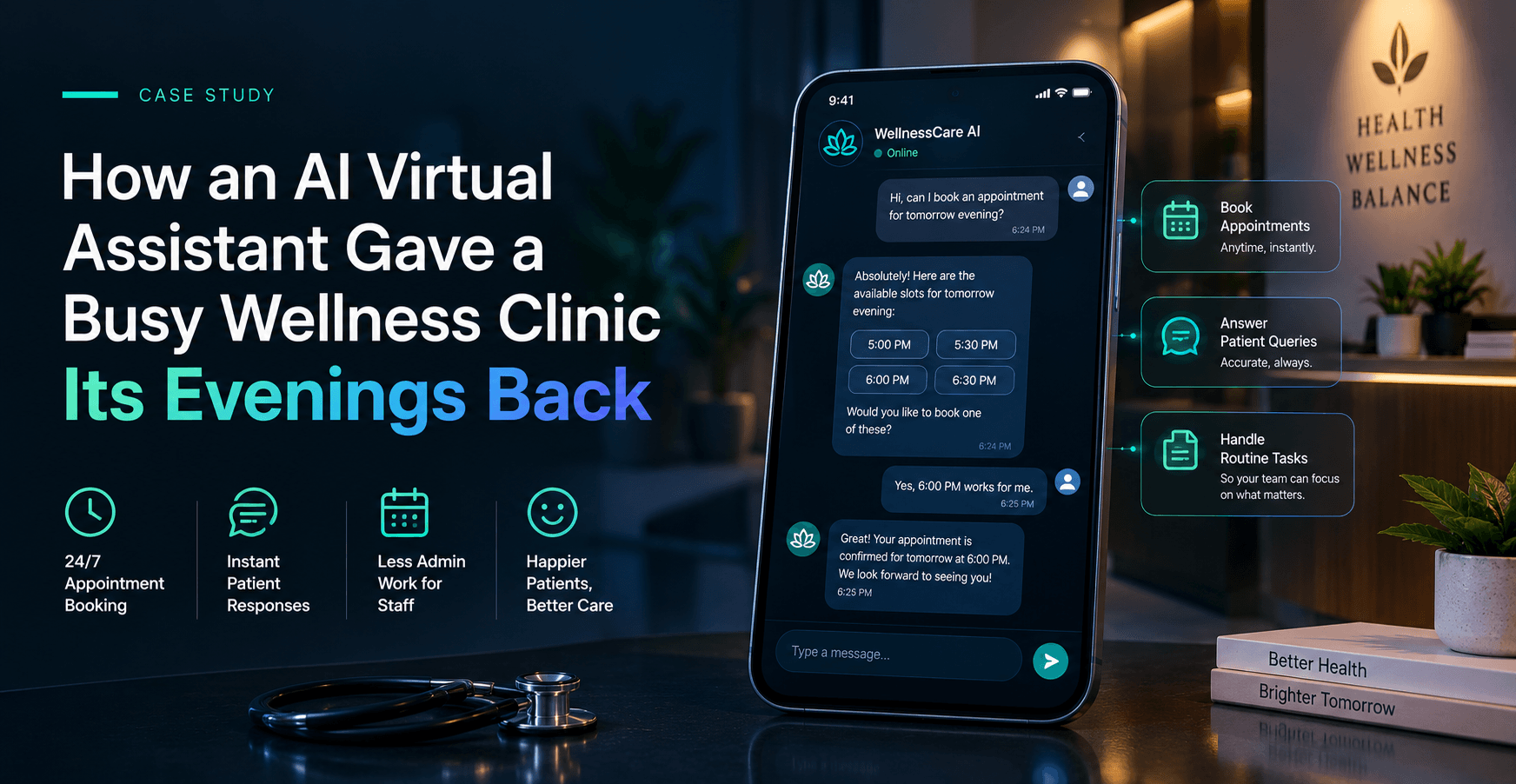
It is 6:40 on a Tuesday evening. The front desk closed an hour ago, but Meera is lying in bed with a sore back, wondering whether anyone can see her before the weekend. A few years ago she would have left a voicemail and hoped for a callback. Tonight she opens the clinic's app and types, "Can I see someone about back pain on Friday morning?"
Within seconds she has a friendly, sensible answer: two open slots, a short note on what to bring, and a reminder that first visits run a little longer. She picks a time, gets a confirmation, and goes back to resting. Nobody at the clinic had to pick up a phone.
Behind that small moment sits a project the clinic's team cared about deeply. They did not want a robotic menu that says "press one for bookings." They wanted something that sounded like their receptionist on her best day.
What kind of project this was
Industry: healthcare and wellness, specifically a clinic group with several locations.
What we built: three connected pieces. First, an AI assistant that holds natural conversations with patients. Second, a cross-platform mobile app that works on both iPhone and Android, so patients have one simple place to book and ask questions. Third, a small admin view for front-desk staff, so they can see what the assistant has handled, step in when needed, and update the information it relies on.
It is a software product for patients and staff, not a marketing website, and that mattered. Every decision was about daily use by real people, many of them not comfortable with technology.
What the clinic asked for
In our first conversations the clinic described its needs in everyday terms, not technical ones. Written down, they came to five clear requirements:
- Patients should be able to book, move, and cancel appointments at any hour, without waiting for the office to open.
- The assistant should answer common questions about services, locations, parking, insurance, and what to bring, in the clinic's own warm tone.
- It had to connect to the existing scheduling system, so every answer about availability was real and never a guess.
- Anything clinical, sensitive, or unclear needed to pass smoothly to a human being.
- Patient information had to be handled with care and protected throughout.
We also heard an unspoken requirement: the clinic did not want to replace people. They wanted to give people their time back. That shaped nearly every choice we made.
The problems underneath
Requirements describe what a client wants. Problems describe what is actually getting in the way. These are the ones we found by listening to the staff.
The same questions, over and over. Front-desk staff answered the same dozen questions many times a week. Each answer was quick, but together they filled whole afternoons.
Silence after hours. Messages sent in the evening or on weekends sat unanswered until the next working day. Some patients simply booked somewhere else.
Double handling. Phone notes had to be re-entered into the schedule, which led to small mistakes and the occasional double booking.
Fear of a cold, careless chatbot. The team worried that an automated assistant might sound stiff, give a wrong answer, or frustrate someone already feeling unwell. This concern was fair, and we treated it as a design goal rather than an objection.
Trust and privacy. Health-related conversations are personal. The assistant had to be careful about what it said, what it stored, and when it stopped talking.
How we built it, and the tools behind it
We chose tools that were reliable, well supported, and easy for the clinic to live with over the long term.
- React Native powered the patient app, so one codebase serves both iPhone and Android and keeps the look and feel consistent. This is a core part of our mobile app developmentwork.
- Python ran the backend, handling bookings, conversations, and the connection to the clinic's scheduling system.
- PostgreSQL stored appointments, conversation history, and settings.
- A large language model (we evaluated options such as OpenAI GPT, Claude, and Gemini) handled the natural conversation, guided by strict instructions about tone and limits.
- LangChain with pgvector let the assistant look up the clinic's own information, such as service descriptions and policies, so its answers came from approved material instead of general knowledge.
- AWS hosted everything with encryption and role-based access, in line with our security approach.
The result is a true AI virtual assistant, built around the clinic's own words rather than a generic script.
The roadmap, week by week
We split the work into five phases and showed progress in a short demo every week, so the clinic always knew where things stood.
Weeks 1 to 2: Discovery. We interviewed front-desk staff, collected the real questions patients ask, and reviewed the scheduling system. This is where the assistant's personality started to take shape.
Weeks 3 to 4: Design. We mapped conversation flows, sketched the app screens, and agreed on exactly when the assistant should hand over to a person.
Weeks 5 to 9: Build. Our engineers built the assistant, connected it to scheduling, developed the mobile app, and created the staff admin view.
Weeks 10 to 11: Testing. We ran quality checks, tuned the assistant's tone with staff reading real sample conversations, and completed a security review.
Week 12 onward: Launch and support. We rolled out in stages, starting with one location, collected feedback, and kept improving answers as new questions appeared.
How long it took
From the first discovery call to the staged launch, the project took about twelve weeks. Support and improvement continued afterward, because an assistant is never really finished. Patients keep asking new things, and the clinic keeps adding services. Products like this often take three to six months depending on scope, and this one landed at the shorter end because the clinic knew what it wanted and gave us fast feedback.
Three things we would tell any clinic
Start with the questions, not the technology. The best material for an assistant is the list of things your staff already answer every day.
Decide the hand-off rules early. Knowing exactly when the assistant stops and a person starts is what makes patients trust it.
Plan to keep improving it. The first launch is a beginning. Reading real conversations a few weeks in tells you more than any planning meeting.
What the clinic said
"We were nervous that an assistant would make us sound like a machine. Instead, patients tell us it feels like talking to our own front desk. Our team is calmer, and our evenings are quieter. We especially appreciated that the team listened to our staff first and built second."
Operations Manager, multi-location wellness clinic
Conclusion
The clinic did not need a flashy chatbot. It needed something dependable that sounded like its people and knew its own limits. By starting with the questions staff really answer, connecting the assistant to live scheduling, and keeping humans in the loop for anything delicate, we delivered a tool that patients use and staff trust. The front desk now spends less time on the phone and more time with the people walking through the door.
If you are thinking about bringing AI into patient or customer conversations, we would be glad to talk it through. Meritorious CodeCraftersis a custom software and AI development company working with startups and enterprises worldwide, and you can reach our team here to start the conversation.