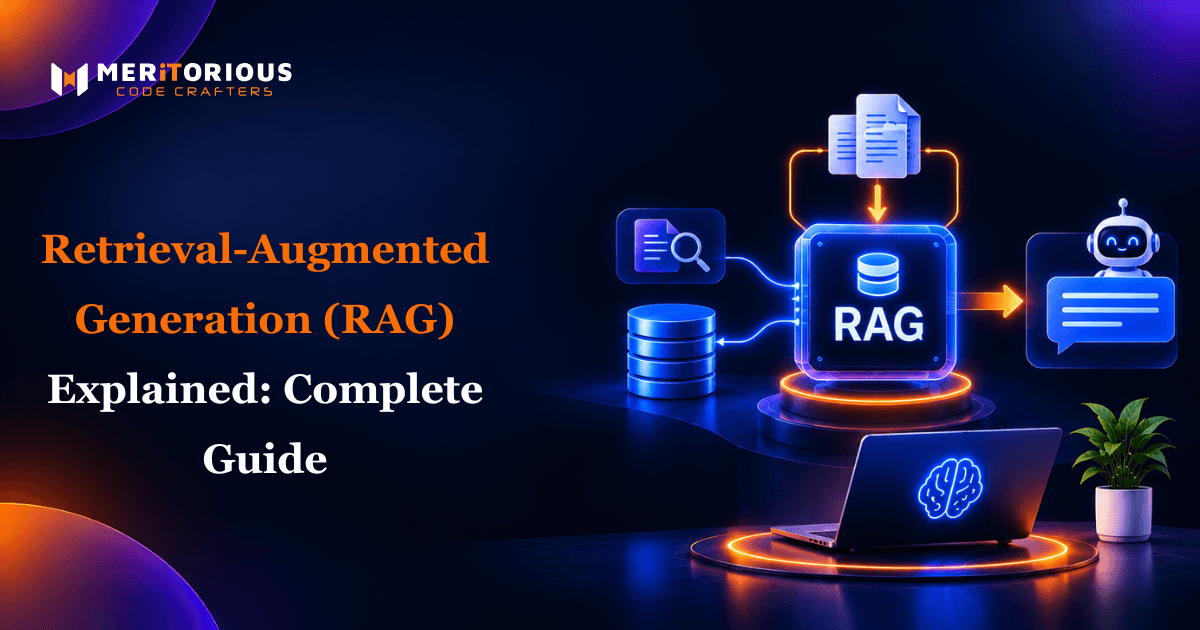
The issue with large language models (LLMs) is they can only draw on the data they’ve been trained on. They have no access to your latest policies or documents and may well make assumptions. This is where Retrieval Augmented Generation comes in. In this guide we’ll explain what retrieval augmented generation is, how it works and why it’s used in so many Custom AI Solutions and AI-Powered RAG Development projects today.
Quick Answer : Retrieval Augmented Generation (RAG) is an AI technique whereby a large language model can quickly search through an external knowledge source (such as documents from your company or a database) to give a more accurate response. This can help reduce hallucinations and allows the LLM to use business specific data.
What is Retrieval-Augmented Generation?
Retrieval augmented generation is divided into two parts, retrieval and generation.
In 2020, a group of researchers at Meta AI (Facebook AI Research) published a paper titled "Retrieval-Augmented Generation for Knowledge-Intensive NLP Tasks", introducing the concept. Since then it has become an industry standard for creating accurate knowledge based systems in generative AI.
Traditional LLM vs RAG
Traditional LLM responses will use only training data. A RAG system searches through your knowledge base to find the most relevant content to pass to the LLM.
| Factor | Traditional LLM | RAG for Large Language Models |
|---|---|---|
| Knowledge source | Training data only | Training data + your documents |
| Freshness | Fixed at training time | Updated whenever content changes |
| Private data | Not accessible | Securely connected |
| Source citations | Rare | Possible and traceable |
| Hallucination risk | Higher | Lower |
How does Retrieval Augmented Generation work?
Here is the process:
1. Ingest – Gather documents from your data sources/knowledge base such as PDFs, wikis, databases and help centres.
2. Chunking – Break down the content into digestible parts.
3. Embeddings – Convert each chunk into embeddings (numeric representation of meaning). This can be done using models from Hugging Face.
4. Vector Database – Store embeddings in a vector database or library such as FAISS.
5. Retrieve – Perform a semantic search to find the most relevant chunks.
6. Augment – Add the search results to the prompt.
7. Generate – The LLM will generate a response using the context and often citations.
This means you can link your LLM to private company data.
RAG Architecture
In general a RAG system will include:
- Data Sources – Where your knowledge is stored (documents, databases, apps).
- Ingestion & Chunking – Prepare and chunk the data.
- Embedding Model – Convert text into vectors.
- Vector Store – Store and search vectors.
- Retriever – Find most relevant content.
- Reranker – Sort the results to show the most relevant matches.
- LLM Generator – Generate a response.
Chunking
How you chunk your data will affect how effective your search is. Common chunking methods include fixed size, paragraph and semantic chunking. You can also overlap your chunks slightly to keep context.
Hybrid Search
Combines semantic search (vector) with traditional keyword search. This can be done in tools such as Elasticsearch. This helps with queries where specific terms are required such as product codes/names.
Reranking
Using a second model to prioritise the most relevant chunks.
Types of RAG
Naive vs Advanced RAG
Naive RAG is a simple retrieve and generate approach. This is quick to create but may provide irrelevant or incomplete context. Advanced RAG will also include query rewriting, hybrid search, reranking and chunking to increase accuracy.
GraphRAG
GraphRAG is a popular RAG type created by Microsoft Research. It creates a knowledge graph containing entities and relationships. This helps answer questions that require linking information across many documents such as ‘what themes can be seen in all the customer complaints?’.
Other variations
Modular RAG allows swapping components between teams. Multimodal RAG will search through images and tables.
Building something along these lines?
Tell us what you have in mind. We will come back with scope, stack and a realistic timeline.
How does RAG help reduce hallucinations?
Hallucinations happen when the LLM makes assumptions to fill in the gaps. Using RAG provides confirmed data sources. Telling the LLM to only use the information retrieved will also help to reduce hallucinations.
Not completely, but the risk will be reduced. It depends on how good your retrieval and prompts are.
Benefits of RAG
- More accurate answers using real sources.
- Up to date knowledge.
- Access to private data.
- Sources will be cited.
- Quick to update.
RAG Use Cases
Businesses use RAG with LLMs to quickly get accurate answers from company knowledge. Some common use cases include:
- Internal knowledge assistants (HR, IT, Operations).
- Suggestions for customer support.
- Search through legal/compliance documents.
- Healthcare and research literature.
- Chat assistants. See our guide on how to build an AI chatbot in 2026
Enterprise RAG
Enterprise RAG focuses on scalability, security and governance.
RAG Security & Access
Ensures users can only search for documents they have access to. Using role based permissions.
When should a business use RAG?
Use RAG if:
- You need to provide answers using internal or frequently updated data.
- Answers need to be accurate and include citations.
- You need the AI to use private data securely.
For a high level overview of the technology see Python AI Projects Explained for Non Technical Leaders .
Disadvantages of RAG
- Bad data – bad answers.
- Poor retrieval – irrelevant context.
- Context window limitations.
- Increased latency due to additional retrieval.
How to measure quality of a RAG
Key factors to measure include:
- Context Precision – Are the chunks relevant?
- Context Recall – Has all the necessary information been retrieved?
- Faithfulness – Is the answer correct based on the context?
- Answer Relevance – Does the answer answer the question?
Automated scoring alongside manual checking.
Best Practices for RAG
- Ensure your data is clean and organised.
- Try different chunking methods.
- Use hybrid search and reranking to increase accuracy.
- Implement access controls during retrieval.
- Continuously monitor quality. Regularly update content.
An experienced team of Hire Dedicated AI Developers in indiacan help implement these best practices efficiently.
FAQs
What is retrieval augmented generation?
Enables the AI to search for information from trusted sources to provide more accurate and up to date answers.
Who developed RAG?
Meta AI (Facebook AI Research) in 2020.
What is a vector database?
Stores embeddings so it can quickly perform a semantic search.
Does RAG reduce hallucinations?
No, but it does reduce them significantly.
What is the difference between naive and advanced RAG?
Naive RAG searches for information simply. Advanced RAG uses additional techniques to improve accuracy such as hybrid search, reranking and query rewriting.
Conclusion
Understanding what is retrieval augmented generation can help your business create accurate, up to date AI. By ensuring your data is clean, retrieval is effective and continually measured your LLM will become a reliable tool.
Ready to use RAG? See Meritorious CodeCrafters or Contact Our Team.