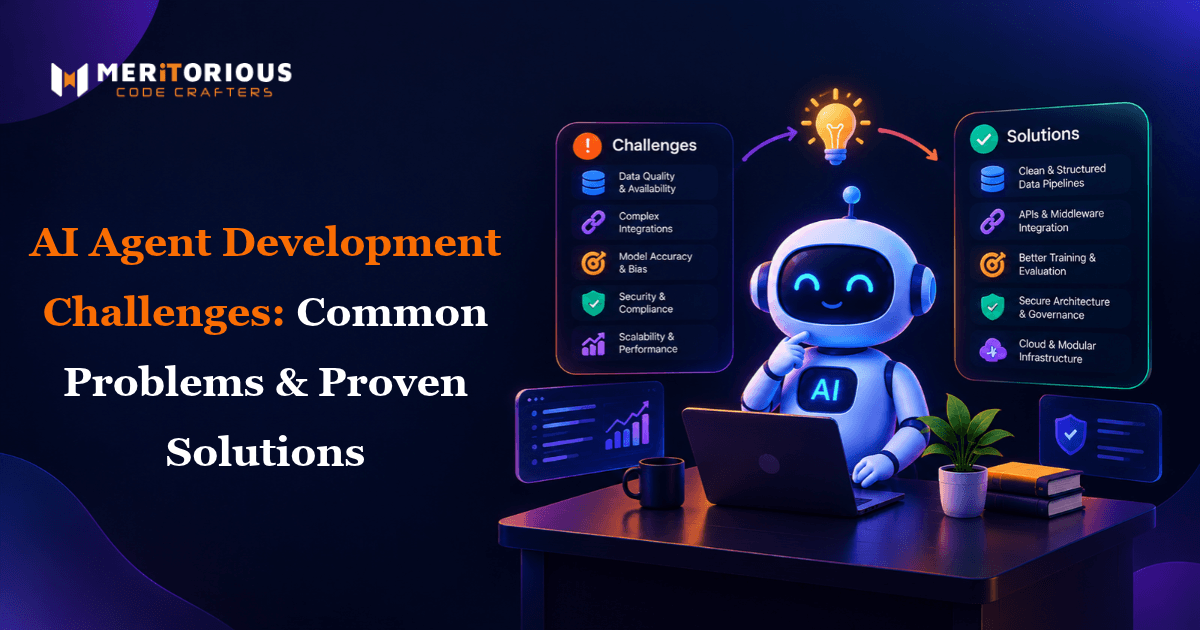
While AI agents seem great in demos, once deployed they can cause issues due to real user interactions, messy data and fragile enterprise systems. The most common issues with AI agents are related to reliability, security, integration and observability. Developers creating Enterprise AI Agent Solutions will quickly pick up that while in testing, an agent may perform 80%, they can cause expensive issues in deployment. This guide will highlight the main issues faced when building AI agents and solutions to these issues. If you’re new to the basics of AI agents then take a look at our Complete Guide to AI Agents.
Why AI Agents Fail in Production
In demos, an agent will be fed clean data, work with a few tools and have a developer watching the process. In production, none of these will happen. The majority of issues in production are due to: Unpredictable inputs - Users will request things in ways that were not covered in the test prompts. Cumulative errors - Agents will require multiple steps and errors will start to build up. Dependent on live systems - APIs will timeout, schemas change and permissions differ. Lack of observability - No tracing means you won’t know why an agent did something. Gartner has repeatedly found that lack of risk control is a major reason why AI agent projects fail. This can be overcome by improving engineering.
Main Issues with AI Agent Development and Solutions
1. Hallucination Issues
An agent will create false facts, reference non-existent sources and make false calls to tools. In autonomous workflows this can cause incorrect actions.
To minimise hallucinations:
- Use RAG for grounded responses to ensure answers are based on verified data.
- Ensure sources are cited and if not, reject the answer.
- Use structured outputs to limit the response.
- Add validation to check critical outputs.
2. Tool Call Issues
As agents create value through tools, they can cause issues. Tools will be incorrectly called, arguments will be invalid and errors will be ignored.
To resolve tool call issues:
- Ensure tools are clearly defined with examples of valid inputs.
- Have a schema that validates arguments.
- Return human readable errors so the agent can self-correct.
- Standardise how tools are accessed using the Model Context Protocol (MCP).
- Keep tool set minimal.
3. Failure Issues & Infinite Looping
Infinite looping occurs when an agent keeps trying to complete a step that has failed. This can cause the agent to get stuck in a loop, call the same tools repeatedly and even just reason endlessly. This causes extra token usage.
Best practice to handle errors:
- Limit the number of iterations, tool calls and time taken.
- Detect looping and force the agent to try a different approach or exit.
- Use explicit state machines using frameworks like LangGraph.
- Create graceful fallbacks.
4. Context Window & Memory Issues
Long conversations and large documents can quickly fill up the context window. This causes agents to forget instructions, decisions made previously and can slow down the agent.
Solutions:
- Summarise old turns.
- Use short term memory and long term memory stored in a vector database.
- Only search for the required context for each step.
- Pin critical instructions.
5. Data Issues
An agent will be as reliable as the data it pulls in. Old documents, duplicate information and inconsistent formatting can cause confident incorrect answers.
Solutions:
- Clean, dedupe and version your knowledge sources.
- Add metadata such as date, owner and source so the latest and most authoritative information is returned.
- Schedule regular re-indexing of your RAG pipeline.
6. Security Issues & Prompt Injection
As agents pull in external data and perform actions, they become targets. Prompt injection is the number one issue in the OWASP Top 10 for LLM Applications. Hidden instructions can be added to emails, web pages and documents to take over agents.
To avoid prompt injection:
- Treat all external data as untrusted.
- Use least priviledge and only allow an agent to have the permissions it needs.
- Filter inputs and outputs.
- Require humans in the loop for high impact actions.
7. Legacy System Integration
Many enterprises will not have up-to-date ERPs, CRM’s and databases. This can cause issues with integrating an AI agent, with inconsistent data, rate limiting and fragile integrations.
To integrate an AI agent:
- Use an API or middleware to help integrate.
- Wrap legacy functions as tools with strict inputs.
- Start with read only access and increase permissions over time.
- Use LangChain to keep connectors and orchestrations consistent.
Many experienced AI Development Experts in India and teams who hire dedicated python developers in indiawill speed up this process as most tooling is Python based.
8. Testing
Unit tests cannot fully cover non-deterministic output. If not tested systematically, an agent will only be deployed with a few happy path examples.
Best practice to test an agent prior to deployment:
- Create a test set of realistic, edge cases and adversarial examples.
- Track simple metrics such as task completion, tool call accuracy, hallucination, latency and cost per task.
- Use automated evaluation tools and human testing.
- Run evaluations after every prompt, model or tool change.
9. Debugging
When an agent fails in production you want to know exactly what step/tool/input has caused it.
Solutions:
- Use tracing to track every step with OpenTelemetry standards.
- Log all prompts, tool calls, responses and decisions in a searchable format.
- Create alerts for errors, looping, latency and unusual costs.
- Review failed sessions weekly and use the learnings in your prompts and testing.
Building something along these lines?
Tell us what you have in mind. We will come back with scope, stack and a realistic timeline.
Quick Reference for AI Agent Reliability Issues
| Challenge | Common Symptom | Proven Fix |
|---|---|---|
| Hallucinations | Invented facts or parameters | RAG, structured outputs, validation |
| Tool calling errors | Wrong tool or bad arguments | Schemas, clear descriptions, MCP |
| Infinite loops | Repeated steps, rising costs | Iteration limits, state machines |
| Context limits | Forgotten instructions | Summarization, external memory |
| Prompt injection | Hijacked behavior | Least privilege, human-in-the-loop |
| Legacy integration | Broken or slow connections | Middleware and wrapped tools |
| Poor visibility | Untraceable failures | OpenTelemetry tracing, alerts |
Common Mistakes
- Too many permissions.
- No evaluation as worked in demos.
- No monitoring, tracing or cost alerts.
- Too little human oversight for high risk actions.
How to Create Reliable Agents
Agents should be kept simple by limiting their actions, validating them and keeping them observable. Start with a narrow use case and add guardrails before allowing them to be autonomous. Only widen the scope when the metrics show consistent performance. See our guide on AI Agent Pricing for Businesses for budgeting.
FAQs
1. What are the main issues when building AI agents for the enterprise?
The main issues are hallucination, tool call issues, infinite looping, context issues, prompt injection and legacy system issues. These are mostly down to poor guardrails, data issues and lack of visibility.
2. How do I avoid hallucination and looping?
Use RAG to ensure grounded answers, use structured outputs and validate critical outputs. To avoid looping, limit iterations, set time limits, detect repeating actions and use state machines such as LangGraph to define what steps can be taken.
3. How do I protect my AI agent from prompt injection?
Treat all external data as untrusted, use least priviledge, filter inputs and outputs. Ensure high impact actions have humans in the loop. Follow OWASP Top 10 for LLM Applications.
4. What are best practices when testing my AI agent?
Use realistic, edge cases and adversarial examples. Track metrics such as task completion, tool call accuracy, hallucination, latency and cost per task. Run evaluations after every prompt, model or tool change.
5. How do I integrate with legacy enterprise systems?
Use an API/middleware. Wrap legacy functions as validated tools. Start with read only and increase permissions once the agent is proven to be reliable.
Conclusion
Issues with AI agent development can be overcome. Hallucination, tool call failure, looping, security and integration issues can all be overcome with good engineering. By investing in grounding, guardrails, testing and visibility, teams can deploy agents users can trust.
If you need help deploying reliable agents then partner with a proven AI & Software Development Company and book a discovery call.